Create a new scene with type ‘Control‘. Rename the ‘Control‘ to ‘HUDRight’.
Add a ‘VBoxContainer‘ to ‘HUDRight‘.
Now add the following controls to the ‘VBoxContainer‘
- Controls -> Label
- Rename to ‘LabelNextTitle’
- Set ‘Text‘ property to ‘Next‘
- Rename to ‘LabelNextTitle’
- Node2D
- Rename to ‘NextPreview‘
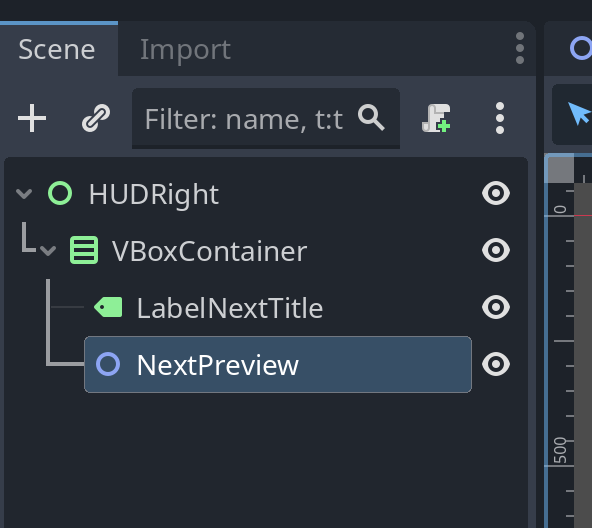
Layout
Select the ‘HUDRight‘ Node and set the layout to ‘Top Left‘:
Save the scene as ‘hud_right.tscn’
Attach a script to the ‘NextPreview’ node and save it as ‘next_preview.gd’
Open the ‘main.tscn‘ scene.
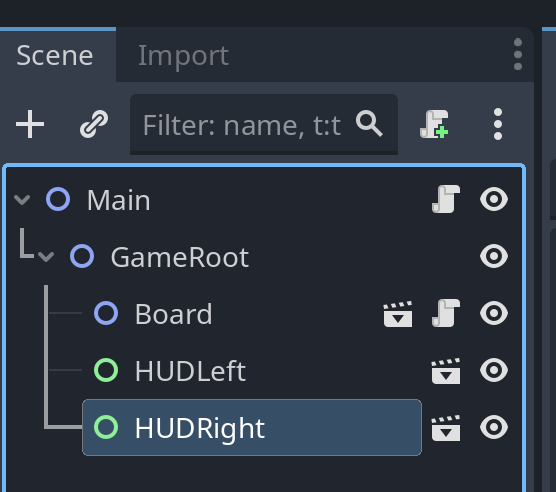
Right-click ‘GameRoot‘ Node and select ‘Instantiate Child Scene…‘ – Select ‘hud_right.tscn‘.
At this point, our ‘main.tscn‘ should look like this.
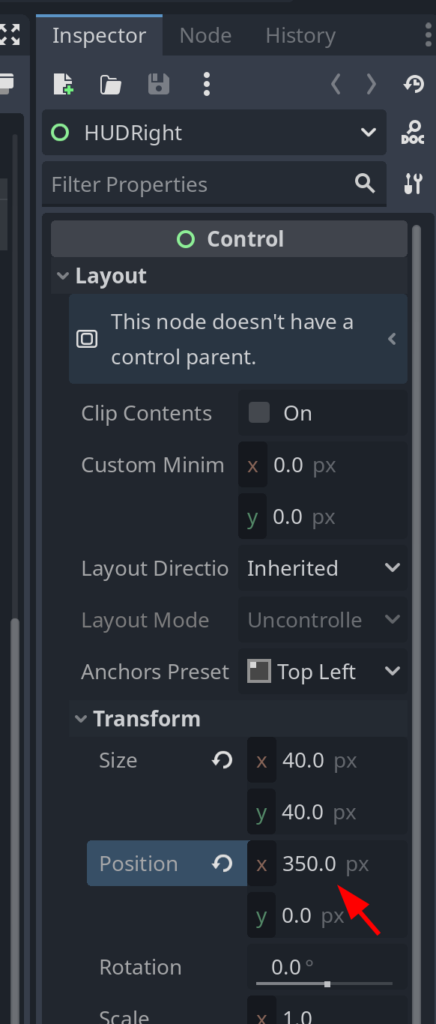
Now, with ‘HUDRight‘ selected, Set Layout.Transform.Position.x to 350.0
Save ‘main.tscn‘.
Leave a Reply